Migrating Off Legacy Software: A Practical Guide to Data Migration
In most companies the old system does not break one day. It slowly becomes a burden.
First a small change request stretches into weeks. Then the team starts doing in a spreadsheet what the system cannot do. After a while those spreadsheets become the real system. And one day, when the person who built it cannot be reached, everyone realises the same thing at once: this structure no longer carries the business.
This article takes on one of the questions we are asked most: when and how do you move off an old system?
When should you decide to migrate?
A single failure rarely decides it; the signals accumulate. If three of the following are true at the same time, this has become a commercial decision rather than a technical one:
- Even a small change takes weeks, or comes back as "not possible".
- Only one person understands the system; when they take leave, work stops.
- You cannot get the data out; producing a report requires someone to copy it by hand.
- The vendor has dropped support, or updates have stopped arriving.
- Security patches are no longer published.
- The team bypasses the system: the real work happens in side tables.
- A new channel — online store, mobile, e-invoicing — cannot be connected.
That last point is the trigger we see most often lately. If the system has no door to the outside, every new need gets solved by moving data by hand. We explained what that door is in what is an API.
By contrast, "the system is old" is not on its own a reason. A system that works, gives up its data and can be maintained may serve for years without apology.
Replace or improve?
The most expensive mistake in this decision is designing a bigger project than necessary. There are three options, in order:
1. Improve in place. If the problem is not the whole system but a few points in it, separating out reporting, adding an integration or tidying the database may be enough.
2. Replace piece by piece. Carve out the module that hurts most, replace it, leave the rest where it is. This carries the lowest risk, because you can step back at every stage.
3. Full migration. Only sensible if the old system will not release its data, vendor support has ended entirely, or your business model has fundamentally changed.
The question to ask is: which part of this system genuinely slows my business down? If the answer is "all of it", break it down further — "all of it" usually means "I do not know".
Whether the new system should be custom or off-the-shelf is a separate debate; we gathered the criteria in custom software or off-the-shelf.
Data migration: the genuinely hard part
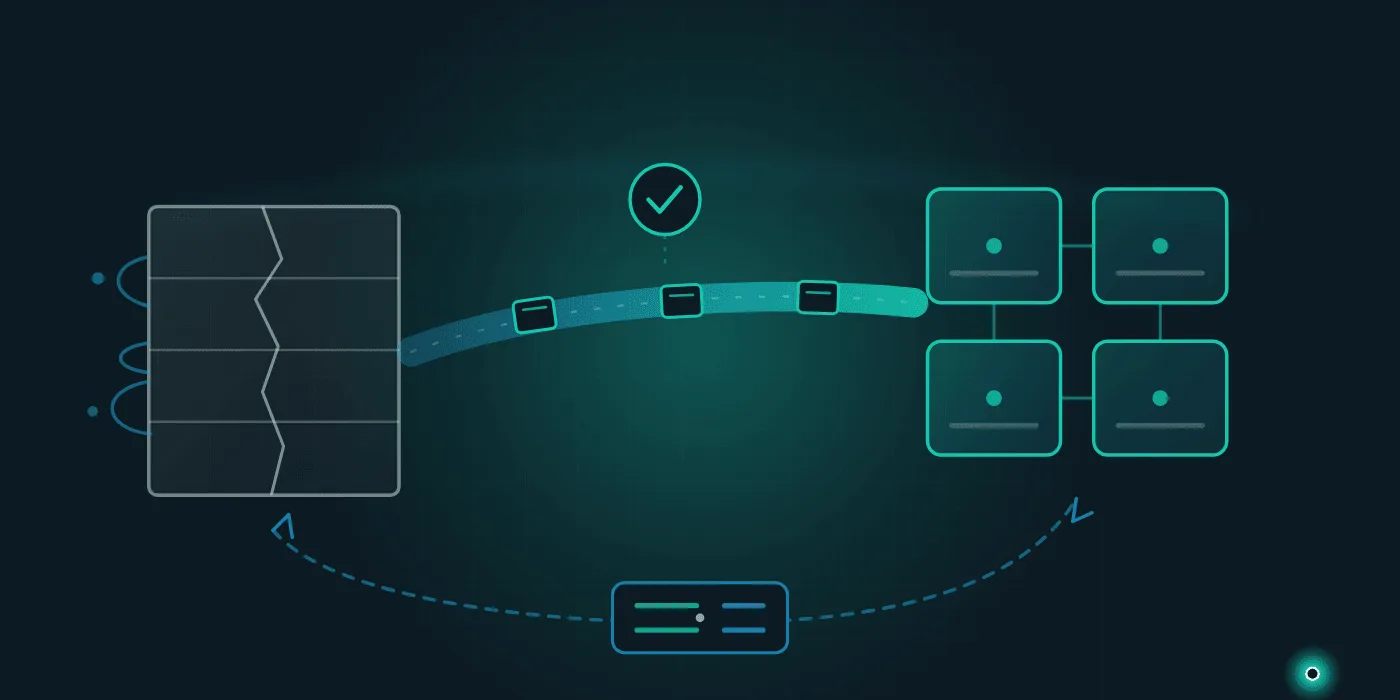
Standing up the new system is usually the easy side of the project. The hard part is moving years of accumulated data. A healthy migration moves through four steps:
1. Extract and look. Pull the data out of the old system and actually inspect it. How many records? Which fields are empty? How many spellings of the same customer? Which date formats got mixed together? What this step reveals surprises most teams; it is usually where data quality problems become visible for the first time.
2. Write the mapping table. Which field in the old system corresponds to what in the new one has to be written down. Every mapping described as "obvious" becomes an argument after go-live. Decide in advance what happens to fields with no counterpart.
3. Run a trial load and count. This step cannot be skipped. After the trial, compare control totals on both systems: record counts, sums, oldest and newest dates, customer numbers. If the numbers do not match, nothing proceeds until you know why.
4. Run the real load. Only once the trial comes through clean.
One warning: a migration is a good opportunity to clean data, but trying to fix everything at once sinks the project. Move first and clean afterwards, or fix only the critical fields before moving.
If you are moving from spreadsheets to a proper database, the flow works a little differently; we covered that in moving beyond Excel.
Switching without stopping: run both in parallel
The most common question: "will work stop on cutover day?" Planned properly, no.
The safest method is parallel running. The new system goes live while the old one stays open read-only for a period. Critical reports are produced on both sides for a while and compared. If a discrepancy appears, you find out before anyone is harmed.
When planning the cutover day, these help:
- Pick the quietest window. Month-end, season openings and campaign periods are not cutover days.
- Write the rollback plan in advance. "If X still is not working by this hour, we go back to the old system" belongs on paper.
- Set out hour by hour who does what. Backup, load, verification and go-live steps get named owners.
- Take a full backup and test that it restores. A backup taken but never tried is not a backup — that was the core message of our piece on data security and backup.
Do not switch the old system off immediately after cutover. Keeping it read-only for at least one full financial period provides both reassurance and a way to answer questions that come up later.
Classic mistakes
Five mistakes we have seen repeatedly over the years:
Leaving users until last. If the team that will use the system is absent from the process, the result is technically flawless and practically unusable. At least one user belongs at the table from the start.
Asking for every old feature, exactly as it was. Some features added over the years are no longer used. Every feature carried across without asking "who uses this today?" is unnecessary cost.
No budget for training. The real resistance in a migration is human, not technical. Short training delivered through real work replaces the pile of complaints two weeks later.
Forgetting integrations. Accounting, online store, shipping, e-invoicing. Nothing connected to the old system can be left off the list before a plan is made. The map in ERP, CRM and e-commerce integration is a good starting point.
Changing everything at once. If the system, the process and the team all change simultaneously, nobody can tell where a problem came from.
Where to start
Three steps. First, write on one page what the old system does today and where each piece of data sits. Second, pick the single point that hurts most and consider carving that out — a full migration is not always the first answer. Third, extract the data once and actually look at it; most of the decision becomes clear from that table.
If you would like us to assess your current system, produce a data migration plan or design the new structure with you, get in touch; you can also look through our services to see how we work.
Frequently Asked Questions
- When should you migrate off a legacy system?
- It is rarely one failure but an accumulation of signals: small changes taking weeks, only one person understanding the system, data that cannot be exported, a vendor withdrawing support, security updates no longer arriving, and the team quietly bypassing the system with spreadsheets. When three of these are true at once, migration has become a commercial decision rather than a technical one.
- How does a data migration work?
- A healthy migration has four steps: extract and inspect the data in the old system (how many records, which fields are empty, which are duplicates), write a mapping table to the new schema, run a trial load and compare the numbers on both sides, then perform the real load. On every trial, control totals such as record counts, sums and date ranges must match across both systems.
- Will the business stop during the migration?
- Not if it is planned properly. The safest approach is running in parallel: the new system goes live while the old one stays available read-only for a period, and critical reports are compared on both sides. For the cutover itself, pick the quietest window in your business cycle, write the rollback plan in advance, and set out hour by hour who does what on the day.
- How long should you keep the old system's data?
- Rather than switching the old system off immediately, it is safer to keep it accessible read-only for at least one full financial period. Take a complete backup at shutdown and actually test that the backup restores. For statutory retention periods and tax obligations, consult your accountant.
Need help with this topic?
Contact Us