Writing Better AI Prompts at Work: A Practical Guide

Two people on the same team use the same AI tool. One says "it is useless, it just produces platitudes"; the other drafts a proposal with it in half an hour. Same tool — the difference is the question.
AI models work as well as the context you give them. The gap between "write me an e-mail" and "write a six-sentence e-mail to this customer, about this delay, in this tone" is not the model's intelligence; it is the boundaries you set.
This article gives a pattern that works with whichever tool you use, plus templates you can copy into daily work.
What is a good prompt made of?
A good prompt is almost always made of five parts:
1. Role. The lens the model should look through. "You are a procurement specialist working in manufacturing."
2. Task. One sentence, a clear verb. "Compare the three quotes below and write a recommendation."
3. Context. The real data you have, the constraints, who will read it. "The quotes are attached; we have a budget ceiling, delivery time matters more than price, and the reader is not technical."
4. Format. The shape of the output. "A three-bullet summary first, then a comparison table, then a one-sentence recommendation."
5. Boundaries. What it must not do. "Do not invent information you do not have; mark anything uncertain as 'needs verification'."
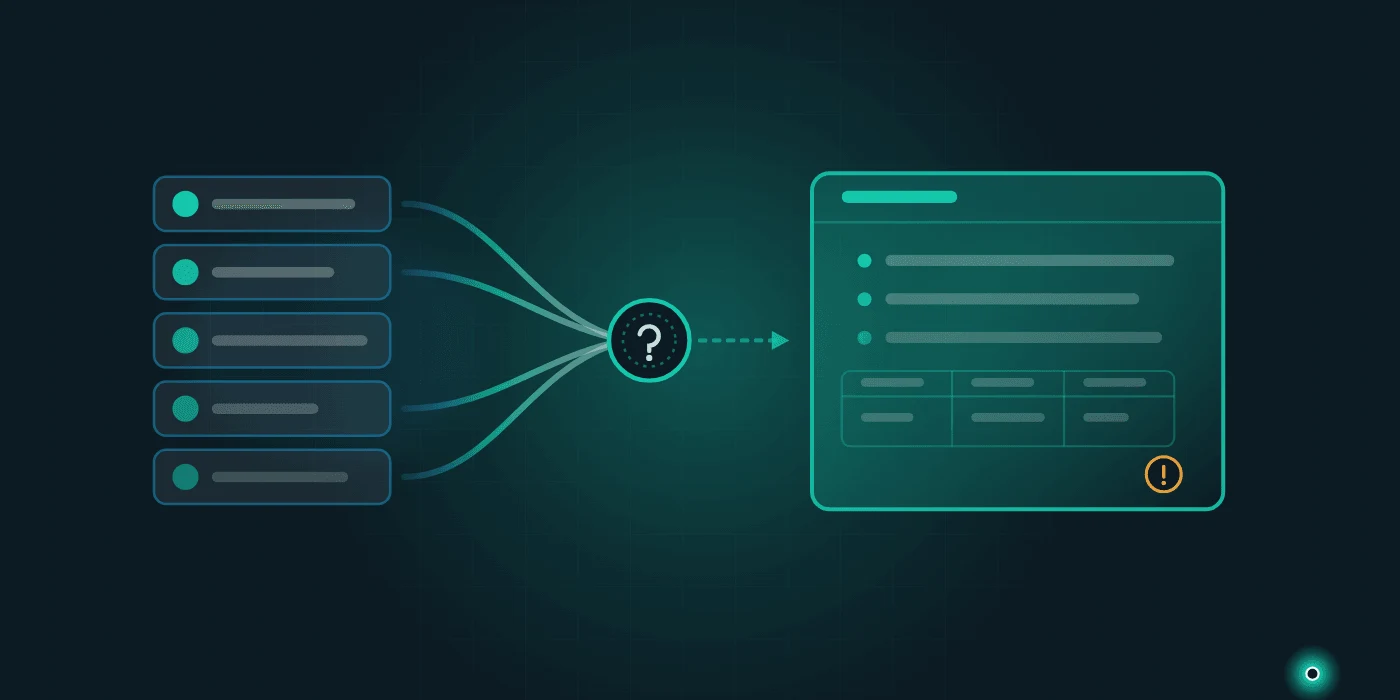
The fifth is the most skipped and the most useful. It does not eliminate invention, but it makes the model show you where it happened.
Templates for everyday work
Copy these as they are and fill in the brackets.
Summarising a quote or contract
You are an adviser who reads contracts from the buyer's side. Read the quote below and extract: (1) what is included, (2) what is explicitly out of scope, (3) payment and delivery terms, (4) clauses that could work against us, (5) three questions we should ask. Mark anything uncertain as "needs verification". Text: [paste]
Summarising a long report for leadership
Summarise the report below so a non-technical manager can read it in two minutes: at most five bullets, one sentence each, numbers preserved. End with a single sentence under the heading "the one decision required". Report: [paste]
A difficult e-mail
Here is the situation with [customer/supplier]: [situation]. My goal is [goal]. Keep the tone polite but clear, not accusatory, at most six sentences. Write two versions: one softer, one firmer.
Cleaning messy data
Below is a customer list where the same company appears several times with different spellings. Group the identical companies, propose one standard spelling per group, and show which rows merged. Put matches you are unsure about in a separate "needs checking" list. Data: [paste]
A job posting
Write a posting for [role]. Company: [short description]. Describe what the daily work actually is; avoid clichés. Separate required from preferred qualifications. At most 250 words.
Turning meeting notes into tasks
Extract a task list from the meeting notes below. Each line: what will be done — who — by when. List items with no owner or date separately as "incomplete". Notes: [paste]
Four habits that improve the result
Give an example. Handing over a past output you liked ("match this tone") beats ten sentences of description.
Do not finish in one shot. Treat the first output as a draft and iterate: "expand the third point, drop the second". Because context accumulates through the conversation, the third round usually beats the first.
Break long text up. Rather than summarising fifty pages at once, go section by section and combine the summaries at the end.
Verify the output. Especially wherever numbers, dates, regulations and names appear. A model can be wrong fluently; fluency is not evidence of accuracy.
Where it works, and where it does not
This is the question everyone actually asks. In practice the line is clear:
Where it works well: producing drafts (e-mail, postings, proposal text), summarising long documents, changing format (notes into a task list), tidying messy text, generating several versions of the same thing in different tones, and framing a subject you do not know yet.
Where it struggles: exact numerical calculation, current regulation, questions that depend on the real data in your own systems, and final decisions that carry responsibility. In those, use the model as a draft generator, not a decision maker.
There is a third category too: repetitive work with fixed rules. Producing the same report in the same format every month is not an AI job, it is an automation job — we compared the two in business process automation and RPA. And for regulatory summaries, always verify the output against the source: in texts full of dates and scope rules, such as the e-ledger transition, a single wrong year ruins the whole plan.
What you should not paste
This is the price of easy use: before pasting personal data, customer lists, contracts, health or financial information, answer two questions — does this tool use my data for training and am I allowed to share this data at all?
Business plans usually include a "do not train on my data" setting; free tiers often do not. Where personal data is involved it is not a preference but an obligation; we covered the detail in AI and personal data protection.
A practical rule: if you would not be willing to send it to your competitor, do not paste it — or anonymise names, titles and numbers first.
Using it as a team: a prompt library
One person writing good prompts stays an individual skill. What works is a shared prompt library: the prompts that work, the job each is used for and a sample output, in one file.
Review it quarterly: which prompt still performs, which one broke when the tool updated. This also raises the team's AI literacy — for the whole subject see AI literacy for your company.
Conclusion: asking is a skill too
AI tools do not raise your team's average output; they raise the output of whoever asks well. The good news is that this skill is learnable, and the five-part pattern takes a day to learn.
If you would like us to set up an internal prompt library, work out together which processes suit AI, or prepare your data side safely, get in touch; to see how we work, take a look at our services.
Frequently Asked Questions
- How do you write a good AI prompt?
- A five-part pattern works with almost any tool: role (the lens to look through), task (one sentence with a clear verb), context (your real data, constraints and who will read it), format (the shape of the output — how many bullets, table or prose) and boundaries (what it must not do, such as "do not invent information, mark anything uncertain"). That last part is the most skipped and the most useful.
- Is it safe to paste company data into an AI tool?
- Answer two questions first: does this tool train on the data, and are you allowed to share it at all? Business plans usually offer a "do not train on my data" setting; free tiers often do not. Where personal data is involved it is an obligation rather than a preference. A practical rule: if you would not send it to your competitor, do not paste it — or anonymise names, titles and numbers first.
- What if the model gives wrong information?
- Fluency is not evidence of accuracy; a model can be wrong in perfectly good prose. Two defences help: add the boundary "do not invent information, mark anything uncertain as needs verification" to the prompt, and verify numbers, dates, regulations and names against the source. Working through long text section by section also lowers the error rate.
- How does a team get value from AI?
- One person writing good prompts stays an individual skill. Value comes from a shared prompt library: the prompts that work, the job each is used for and a sample output, collected in one file. Review it quarterly and weed out prompts that broke when the tool updated. It also raises the team's AI literacy along the way.
Need help with this topic?
Contact Us